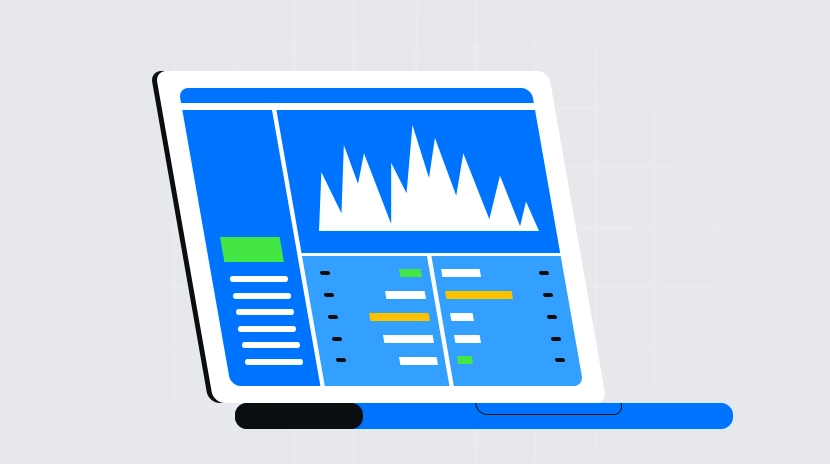
Investment portfolio management software comparison

What Is Portfolio Management Software?
Portfolio management software serves as a unified “asset dashboard” that aggregates crypto holdings across multiple platforms. It brings together your balances and transaction history from centralized exchanges, decentralized wallets, and various blockchains into a single interface for consolidated valuation and analytics.
Centralized exchanges (CEX) are platforms operated by companies that custody assets and facilitate trades, while decentralized finance (DeFi) applications run on public ledgers where users self-custody their assets. Most users have funds spread across both types, making portfolio management software valuable for cross-platform aggregation, automated reconciliation, and reducing the time spent on manual record-keeping.
How Does Portfolio Management Software Work?
Portfolio management software relies on two main data sources: exchange APIs and on-chain data indexing. An API acts as an authorization key, allowing the software to “read-only” access your account ledger; on-chain indexing scans your wallet addresses and contract interactions directly from the blockchain.
Once transaction histories and balances are retrieved, the software calculates net asset value (NAV) and profit/loss using real-time price feeds. A common approach is to record the cost basis for each purchase, then update valuations based on current prices, generating daily or hourly NAV curves. For complex DeFi positions—such as lending or liquidity provision—the software detects contract holdings and decomposes them into underlying asset quantities, converting everything into fiat or stablecoin equivalents.
As of late 2025, leading portfolio management tools commonly offer unified views across CEXs, DeFi, and multiple blockchains, with support for aggregated price feeds and historical tracking to reduce bias from single data sources.
Common Features of Portfolio Management Software
Typical features include unified asset overviews, profit/loss analytics with cost accounting, tagging and categorization, price and risk alerts, report exports, and recognition of DeFi and NFT positions.
For asset overview, the software displays balances and allocations by account, wallet, and chain, as well as performance curves for specific tokens or strategies. On reconciliation, multiple cost methods (e.g., FIFO) are supported, with manual corrections for errors. For DeFi users, the software identifies leverage, LP shares, and staking rewards to prevent missed earnings or double-counting costs.
For those needing tax reporting or bookkeeping, some tools provide tax reports or transaction exports for compliance filing or accountant collaboration. Active traders benefit from price alerts and liquidation risk notifications to avoid losses during volatile markets.
How Does Portfolio Management Software Connect to Exchanges and Wallets?
Connections are made in two ways: exchanges use APIs; wallets use addresses. An API serves as a “read-only key,” granting balance and transaction history access without withdrawal permission. Wallets require only your public address—no private key or seed phrase—enabling the software to pull balances and interaction histories directly from the blockchain.
Step 1: Create a read-only API on your exchange. Enable only read permissions; disable trading and withdrawal rights.
Step 2: In the portfolio management software, select your exchange, paste in the API Key and Secret, then save and start synchronization.
Step 3: Add your on-chain wallet address. Never import your private key or seed phrase; only provide your public address.
Step 4: Review historical records. For early transactions or airdrops, manually add entries as needed to ensure accurate profit/loss and cost basis.
How to Use Portfolio Management Software with Gate?
In the Gate ecosystem, start by using Gate’s asset overview and transaction ledger to check your balances, valuations, and history. You can then integrate this data into your portfolio management software for a cross-platform perspective.
Step 1: Log into Gate’s web portal, go to “API Management,” and create a new API Key. Enable only read access; strictly disable withdrawal and trading permissions.
Step 2: In your portfolio management software, choose “Connect to Gate,” input your API Key and Secret. If IP whitelisting is supported, set up whitelist IPs in Gate for enhanced security.
Step 3: After initial sync, verify that balances and histories are complete. For legacy accounts or large transfers, export detailed records from Gate’s ledger to assist with reconciliation.
Step 4: For integrated cross-platform management, continue adding your on-chain wallet addresses in the software and deduplicate or tag overlapping records between Gate and blockchain holdings.
Security tip: Always use read-only APIs. Never share Gate’s secondary verification codes, withdrawal rights, or seed phrases with any software. Rotate API Keys periodically and monitor account logins and risk alerts.
How to Compare and Choose Portfolio Management Software?
When choosing portfolio management software, focus on your intended use case. If you only need basic asset tracking and P&L analytics, lightweight tools suffice; for tax reporting, team collaboration, or complex DeFi reconciliation, look for advanced identification and reporting capabilities.
Comparison criteria include:
- Coverage: Does it support your main exchanges, blockchains, DeFi protocols? Does it accurately recognize NFTs and staking?
- Reconciliation accuracy: Can you choose cost methods? Are manual corrections for anomalous transactions possible? Is the price feed customizable?
- Privacy & security: Does it require only read-only APIs and public addresses? Is local or end-to-end encryption available? Are IP whitelist recommendations offered?
- User experience & performance: Sync speed, mobile accessibility, tagging/search efficiency, notifications, and automation rules.
- Cost & service: Is pricing based on number of accounts or transactions? Is export functionality available? Are customer support and documentation provided?
List these criteria in a table for side-by-side comparison to clarify which solution best matches your needs and budget.
Portfolio Management Software vs. Manual Spreadsheets
The key difference is automation and accuracy. Portfolio management software automatically pulls transactions and prices for real-time valuation updates; spreadsheets require manual entry and upkeep, increasing the risk of omissions or formula errors.
For small-scale or low-frequency trading, spreadsheets may suffice with full privacy control. But as account numbers grow or trading intensifies across chains and DeFi platforms, software offers superior efficiency and error reduction. If privacy is a top concern, consider using offline spreadsheets with exported read-only data as a compromise.
Who Should Use Portfolio Management Software?
Portfolio management software is ideal for users with assets spread across multiple platforms who need a unified view. Beginners benefit from reduced hassle switching between apps; active traders gain comprehensive P&L analytics and risk alerts; DeFi/NFT users have contract positions recognized; small teams or businesses can leverage reporting exports and collaboration features.
It’s less suited for those with assets concentrated on a single platform with infrequent trades or users who require strict privacy and are unwilling to provide any read-only data. In such cases, the built-in asset pages of exchanges or offline spreadsheets may be more straightforward.
Risks and Trends in Portfolio Management Software
The main risks involve authorization security and data accuracy. Always use read-only APIs with withdrawal/trading disabled and set up IP whitelists plus two-factor authentication. Never provide your private key or seed phrase to any portfolio management tool. For reconciliation, watch out for missing records due to historical airdrops, forks, or cross-chain bridges—regular review and manual corrections are necessary.
As for trends, portfolio management software is evolving toward broader coverage, smarter identification, and stronger privacy protection: multi-chain/L2 support is standardizing; automated DeFi position breakdown is more accurate; local encryption/privacy computation are increasingly adopted; rule-based alerts/tags are getting smarter; reporting tools better align with compliance needs. For users, balancing unified visibility with security compliance will become key selection criteria.
FAQ
What’s the difference between portfolio management software and traditional stock trading platforms?
Portfolio management software focuses on unified multi-asset management and risk analysis. Traditional stock trading platforms are designed mainly for trading within a single market and viewing charts. The former tracks stocks, funds, digital assets—all in one place—calculating returns and risk metrics so you can see overall allocation. The latter prioritizes fast order execution and charting (like candlestick/K-line). If you only invest in A-shares (Chinese stocks), a stock platform suffices; if your assets span multiple markets, portfolio management tools offer greater efficiency.
How do wealth management vs. asset management features appear in investment software?
Asset management tools center on tracking what you own now—the status and value of existing holdings. Wealth management adds financial planning/goals functionality. Simply put: asset management is “what I have now/how much it’s worth,” while wealth management is “what I want/how to get there.” Top portfolio management software usually combines both: displaying current holdings clearly while helping set investment goals and adjust strategy.
Do I need to pay for portfolio management software? Are there hidden costs?
Portfolio management solutions come in free versions, subscription models, or paid plans. Free versions tend to have limited features—perhaps only supporting a few exchanges or asset types; paid tiers unlock full functionality. Beyond subscription fees, watch for API call charges (some exchanges may impose fees when connecting) and potential decision costs from delayed data updates. It’s best to trial the free version first—upgrade only if it really improves your efficiency.
Can portfolio management software synchronize holdings across platforms?
Most professional portfolio management tools support connections to multiple trading platforms (such as Gate, Binance), provided these platforms offer APIs. You’ll typically authorize each platform in the software by entering API credentials—the tool then aggregates all holdings automatically. Always follow best practices: grant query/read-only access only; never grant delete or withdrawal permissions to avoid theft risks.
Which indicators should beginners focus on in portfolio management software?
Start with three core metrics: rate of return (shows profit/loss), volatility (measures risk), and allocation ratio (checks diversification). Return is straightforward; high volatility signals higher risk—approach cautiously; allocation ratio helps spot concentration risk. Mastering these gives you a basic understanding of your portfolio—then move on to advanced stats like Sharpe ratio or maximum drawdown as you progress.
Related Articles
Review of the Top Ten Meme Bots
Gate Research: 2024 Cryptocurrency Market Review and 2025 Trend Forecast