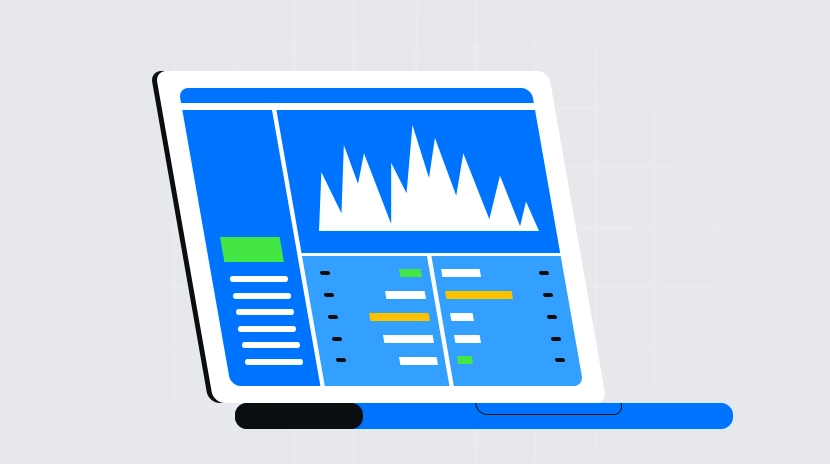
What is an investment portfolio dashboard?
What Is a Portfolio Dashboard?
A portfolio dashboard is a centralized “control panel” that aggregates your crypto assets scattered across multiple locations into a single, unified view. Much like a car’s dashboard, it provides an at-a-glance summary of key data, including balances, profit and loss, asset allocation, and historical trends.
In the crypto world, assets can be distributed across several wallets, different blockchains, and exchange accounts. A portfolio dashboard consolidates these sources into one interface, reducing the need for constant switching, and offers charts, categorization, and alerts to make ongoing management easier.
How Does a Portfolio Dashboard Connect to Accounts and Wallets?
To function properly, a portfolio dashboard needs to connect to your data sources—primarily wallet addresses and exchange accounts with read-only access.
Step 1: Prepare your wallet address. A wallet address serves as your blockchain “account number,” which is publicly visible and used for receiving and viewing assets. Sharing your address does not risk your funds.
Step 2: Connect the wallet address. Within the portfolio dashboard, select “Connect Wallet” or “Add Address,” then paste your address to view on-chain holdings. Some tools may prompt you to sign a transaction for verification; this “electronic signature” proves ownership of the address without moving any assets.
Step 3: Prepare your API key. An API key provided by your exchange grants read-only access for the dashboard to view your account balances and transaction history. When creating the API key, disable any withdrawal permissions to ensure no transactions can be initiated.
Step 4: Link your exchange account. Add the exchange within the dashboard by inputting the read-only API key and only enabling access to portfolio data. You can also set your preferred currency (e.g., USD or CNY) and time zone for accurate data alignment.
What Core Data Does a Portfolio Dashboard Display?
Portfolio dashboards typically begin with an overview: current total asset value and daily change, allowing you to quickly gauge portfolio size and daily performance.
Next is the asset allocation chart. This visualizes the proportion of each token or account, using pie or bar charts to help you spot overconcentration in a single asset or blockchain.
Profit/loss and cost basis are also critical. Cost basis refers to the average purchase price, which helps assess current unrealized gains or losses. The dashboard clearly separates unrealized P&L (paper profits/losses) from realized P&L (locked in after selling), minimizing confusion.
Many dashboards provide historical curves and transaction flows. You can review changes in portfolio net worth over time as well as deposits, withdrawals, buys, and sells—valuable for reviewing past decisions.
How Does a Portfolio Dashboard Calculate Returns and Risks?
Returns are usually calculated as “current price − cost basis.” For example, if you bought 2 ETH at an average price of $1,500 each and the current price is $2,000, your unrealized gain is ($2,000−$1,500) × 2 = $1,000.
Realized profits are confirmed when you sell—profits above purchase price are counted as realized gains, while losses below cost are realized losses. Dashboards keep these separate to avoid mistaking paper fluctuations for actual results.
On the risk side, dashboards commonly show drawdowns and volatility. Drawdown refers to the drop from a historical peak to a subsequent low—for example, if price drops from 100 to 80, that’s a 20% drawdown. Volatility reflects price swings; higher volatility means net worth can fluctuate more in the short term.
Note that different tools may calculate cost basis differently (weighted average vs. per-lot basis). Always check calculation methods in the dashboard to avoid misinterpretation.
Can Portfolio Dashboards Track DeFi and NFTs?
Many portfolio dashboards support DeFi and NFTs. DeFi refers to blockchain-based financial services such as lending, trading, and staking; NFTs represent unique digital collectibles recorded on-chain.
After adding your wallet address, the dashboard reads on-chain data to identify lending positions, liquidity provider shares, and staked assets, factoring them into your overall portfolio value. For NFTs, it displays your holdings and the reference floor price—the lowest recent listing price in active markets.
Be aware of limitations: new smart contracts or niche projects may not be immediately recognized; pricing feeds may lag; cross-chain bridges or staking receipts may require manual tagging. If discrepancies arise, you can manually adjust or wait for source updates.
How to View and Use a Portfolio Dashboard on Gate?
On Gate, the asset overview itself functions as a portfolio dashboard—it centralizes spot, contract, and investment account information for unified viewing and management.
Step 1: Log into Gate and navigate to “Assets—Overview.” Here you’ll see valuations and holdings across accounts, with options to view distribution by token or account.
Step 2: View account details and records. On the relevant pages, check deposit, withdrawal, and trading history; download transaction logs for personal bookkeeping or tax purposes as needed.
Step 3: Set price alerts and risk controls. You can configure alerts for specific tokens to help monitor your portfolio. For more detailed tracking, use third-party dashboards connected via Gate’s read-only API—always select only read permissions and never enable withdrawal rights.
What Alerts and Automation Features Do Portfolio Dashboards Offer?
Common alerts include price notifications, single-asset concentration alerts, and net worth drawdown warnings—helping you stay updated on critical portfolio changes.
Some dashboards offer rebalancing suggestions when an asset’s allocation drifts outside target ranges. Actual trades must be placed manually on exchanges; alerts do not trigger automatic orders.
Regarding automation, some platforms provide scheduled investments or strategy tools that can work in tandem with dashboards. For example, based on allocation or volatility info from the dashboard, you can set up periodic purchases or deploy strategies on Gate—these functions operate independently but can be coordinated for efficiency.
What Security and Privacy Risks Are Involved With Portfolio Dashboards?
Risks mainly arise from data permissions and storage. While wallet addresses are public, aggregating multiple addresses and exchange accounts exposes your entire portfolio profile; misconfigured API keys can pose asset risks.
- Use only read-only APIs. When creating API keys, disable withdrawal and trading permissions; enable only portfolio viewing rights with expiration dates where possible.
- Separate accounts and minimize permissions. Manage long-term holdings separately from active trading accounts to reduce unnecessary connections.
- Audit connections and regularly clean up. Revoke unused API keys and wallet authorizations periodically to reduce exposure.
- Enable two-factor authentication and phishing protection. Turn on two-factor authentication for exchange accounts; verify domain names; never enter keys on unfamiliar links.
What Are the Advantages of Portfolio Dashboards Compared to Manual Spreadsheets?
The main benefits are automation and real-time updates. Portfolio dashboards automatically fetch prices and holdings, reducing manual entry errors and providing charts and alerts for ongoing monitoring.
Manual spreadsheets offer greater flexibility and privacy since they do not rely on third-party services—they’re suitable for small portfolios with infrequent updates. As asset variety increases or you engage across multiple chains, dashboards dramatically lower management overhead.
Key Takeaways of Portfolio Dashboards
Portfolio dashboards consolidate scattered assets so you can instantly view balances, P&L, and allocation; they connect data sources via wallet addresses and read-only APIs to cover spot holdings, contracts, DeFi positions, and NFTs; on Gate you can quickly check via asset overview with additional options for price alerts and strategy tools; always review connection permissions, periodically verify cost basis and transaction logs; use alerts mainly for monitoring while keeping execution separate—boosting efficiency while maintaining risk control.
FAQ
Can a Portfolio Dashboard Help Me Manage Assets Across Multiple Exchanges?
Yes. Portfolio dashboards support connections to multiple exchanges and wallet accounts, automatically aggregating your holdings from various platforms. This allows you to view all asset distributions and overall allocations in one interface without logging into each platform separately. Gate’s dashboard is particularly useful for users trading across platforms.
How Accurate Are the Return Figures Shown on Dashboards?
Dashboards calculate returns automatically based on linked account histories and current market prices—so data accuracy is high. However, if you have on-chain transactions (such as DeFi activity) not synced with the dashboard, there may be omissions. It’s recommended to regularly review and add manual transactions for comprehensive performance tracking.
Will I Miss Market Moves After Setting Price Alerts?
Price alerts trigger real-time notifications via app push or email. However, network delays or improper notification settings may cause lags—not suitable for millisecond-level reactions required by high-frequency trading. For critical market moves, also use native exchange alert functions to avoid missing out.
Are Portfolio Dashboards Too Complicated for Beginners?
Not at all. Dashboard interfaces are designed with beginners in mind—they clearly label all metrics (like allocation percentage, unrealized profit/loss, risk levels) in easy-to-understand terms with tooltip explanations. Gate also offers beginner tutorials to help users get started quickly; if you have questions, customer support is always available.
Can Dashboards Access My Private Keys?
No. Legitimate portfolio dashboards (like Gate) only require read-only API keys—they cannot access your private key or initiate transfers. Always set API permissions on exchanges to “view only” with withdrawals disabled before connecting—this ensures safe usage at all times.
Related Articles
Review of the Top Ten Meme Bots
Gate Research: 2024 Cryptocurrency Market Review and 2025 Trend Forecast